 SpeedyVisual
Draw diagrams – in a flash.
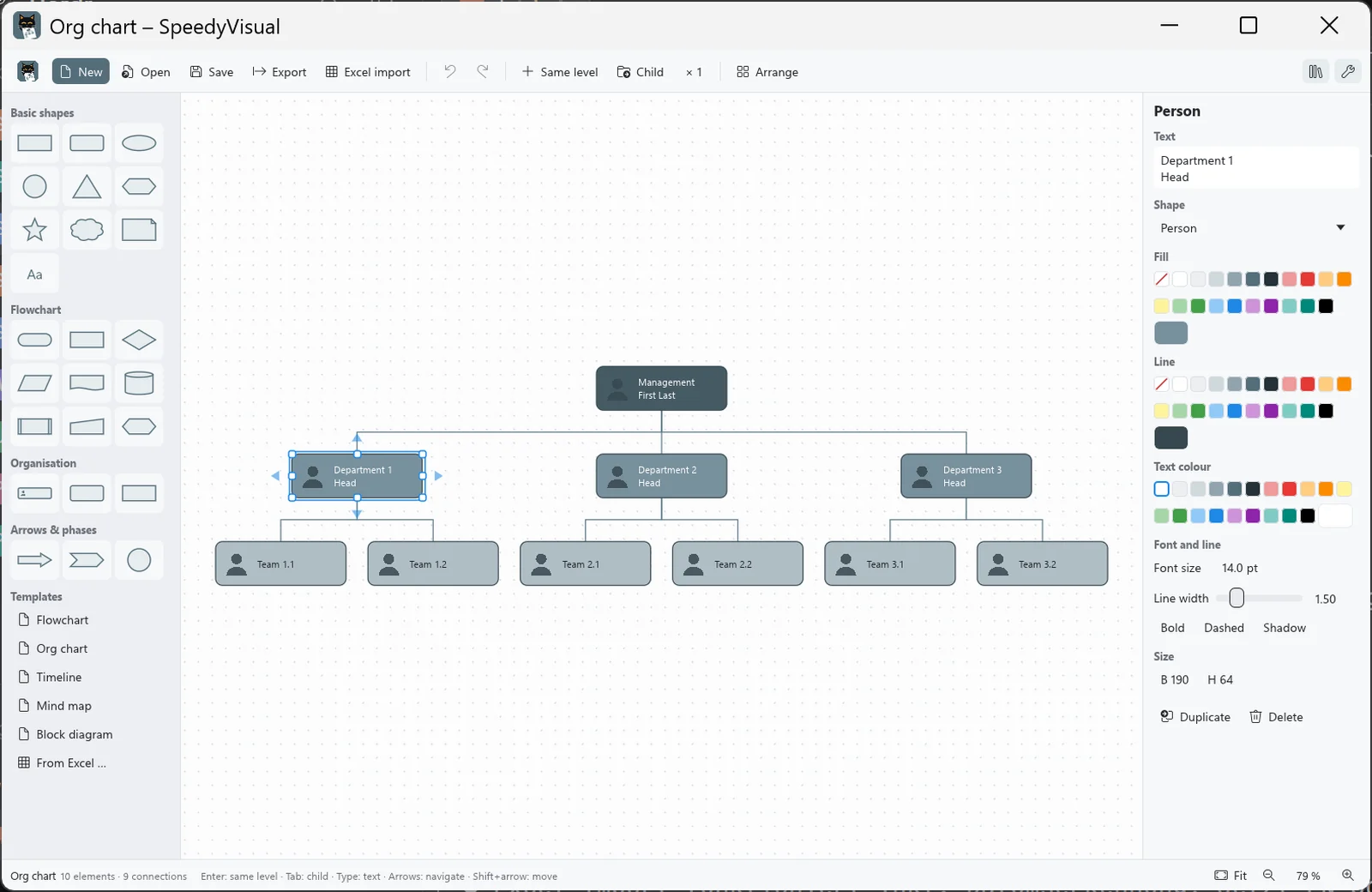
Pick a template, set the count, insert – and your org chart is done. Or the timeline, the mind map, the flowchart. Enter and Tab make it grow, Excel fills in the rest. Named after a cat whose entire daily schedule fits into a single box.
- No internet access
- No ads
- English & German
Features
Templates with a count
Flowchart, org chart, timeline, mind map or block diagram: choose how many (e.g. 3 levels × 4 per level, or 8 milestones), check the live preview, insert. You can extend it any time.
About 20 shapes
Rectangle, diamond for decisions, parallelogram, document, database, hexagon, cloud, star, block arrow, chevron, person, note, text and more.
Fast editing
Enter adds an element next to the current one, Tab adds one below. The blue arrows on hover create a connected element with one click. Just start typing to change the text.
Tidy at the push of a key
Auto layout (Ctrl+L), snap to grid, align and distribute, colour themes, undo/redo, copy and paste.
Excel import
.xlsx, .xls, .ods or .csv: timelines from date/title/description, org charts from name/role/manager, plus mind maps and flowcharts. SpeedyVisual detects the columns by itself.
Export
As PNG, JPG, WebP, BMP, SVG, PDF or draw.io (.drawio), or straight to the clipboard. Saved in its own .svis format.

Speedy has no plan. SpeedyVisual draws one.
Yes, it's the same Speedy as in SpeedyCapture and SpeedyPDF. And no, he hasn't improved. His flowchart has exactly one diamond: “Hungry?” Both arrows lead to the food bowl.
Windows
AvailableSpeedyVisual starts in an instant, needs no account and no internet and gets straight to work – faster, at any rate, than Speedy when you call him.
Download the installer
SpeedyVisual-Setup-1.0.2.exe- Version1.0.2
- SystemWindows 10 / 11, 64-bit
- Size6.1 MB
- LanguagesEnglish, German
Checksum (SHA-256)
Lets you verify that the download is unchanged (PowerShell: Get-FileHash).
fd56072971c2d075488798a63c687a5cfa8df5c65975e3e5514e281435a4bb1cKeyboard shortcuts
- EnterElement on the same level
- TabChild element
- F2 / start typingEdit text
- Ctrl + LAuto layout
- Ctrl + DDuplicate
- Ctrl + EExport
- Ctrl + ZUndo
- Ctrl + YRedo
Installation
- Download and run the installer.
- If Windows SmartScreen warns you: “More info” → “Run anyway”.
- Start SpeedyVisual, pick a template and off you go. Reading the manual is optional – Speedy never did either.

Also named after Speedy
SpeedyCapture
Screen capture with editor: press Print, drag a region, add arrows and text, blur anything confidential. For Windows.

Also named after Speedy
SpeedyPDF
The fast, lean PDF editor: highlight, annotate, sort pages and merge PDFs. For Windows and Android.

Also named after Speedy
SpeedyPad
The lean text editor with tabs that stay – even unsaved ones. Colourful for XML, CSV, batch, JSON and more. For Windows.
Your diagrams stay with you
SpeedyVisual has no internet access, collects no data and needs no account. The only one who gets to see anything here is Speedy – and he's asleep.